Productivity Tool Comparison: RemNote vs Notion
Compare a flexible workspace with a study system built for understanding and long-term retention
Introduction
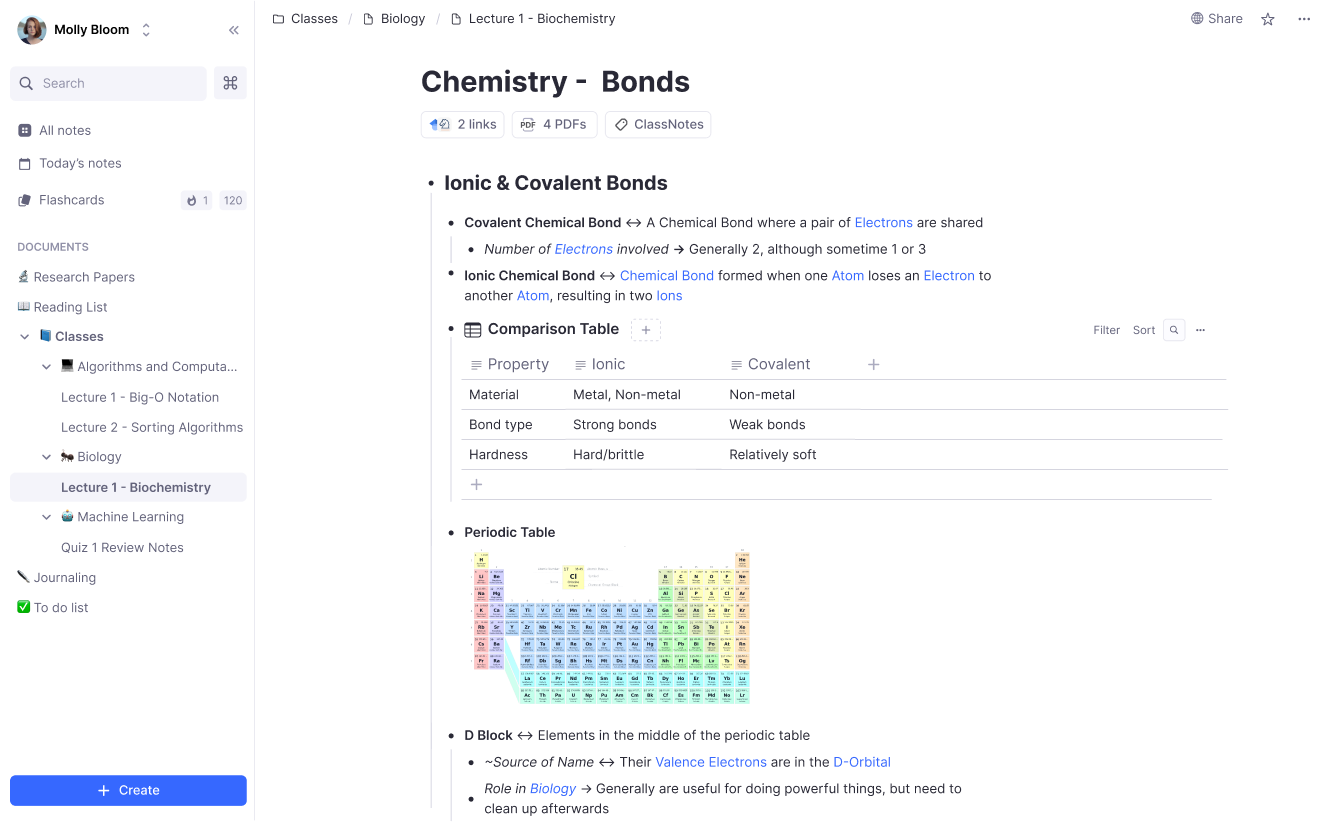
RemNote is specifically designed to enhance the learning experience, making it an excellent tool for students and researchers.
- Offline capability: Unlike many other productivity tools, RemNote works offline, automatically syncing your notes once you're back online.
- File annotation: RemNote allows you to annotate PDFs and other files directly in your notes, which can then be linked or referenced anywhere in your notes.
- Superior knowledge management: RemNote offers features like Tags, Aliases, and Portals, which allow for a more organized and interconnected learning experience.
- Multiple pane documents management: You can open several documents in separate panes and effortlessly drag and drop content between them.
- Unlimited collaboration: Unlike other tools that limit the number of blocks or collaborators, RemNote offers unlimited blocks (bullets) and up to 35 collaborators per workspace, enhancing its collaboration capabilities.
Target Audience
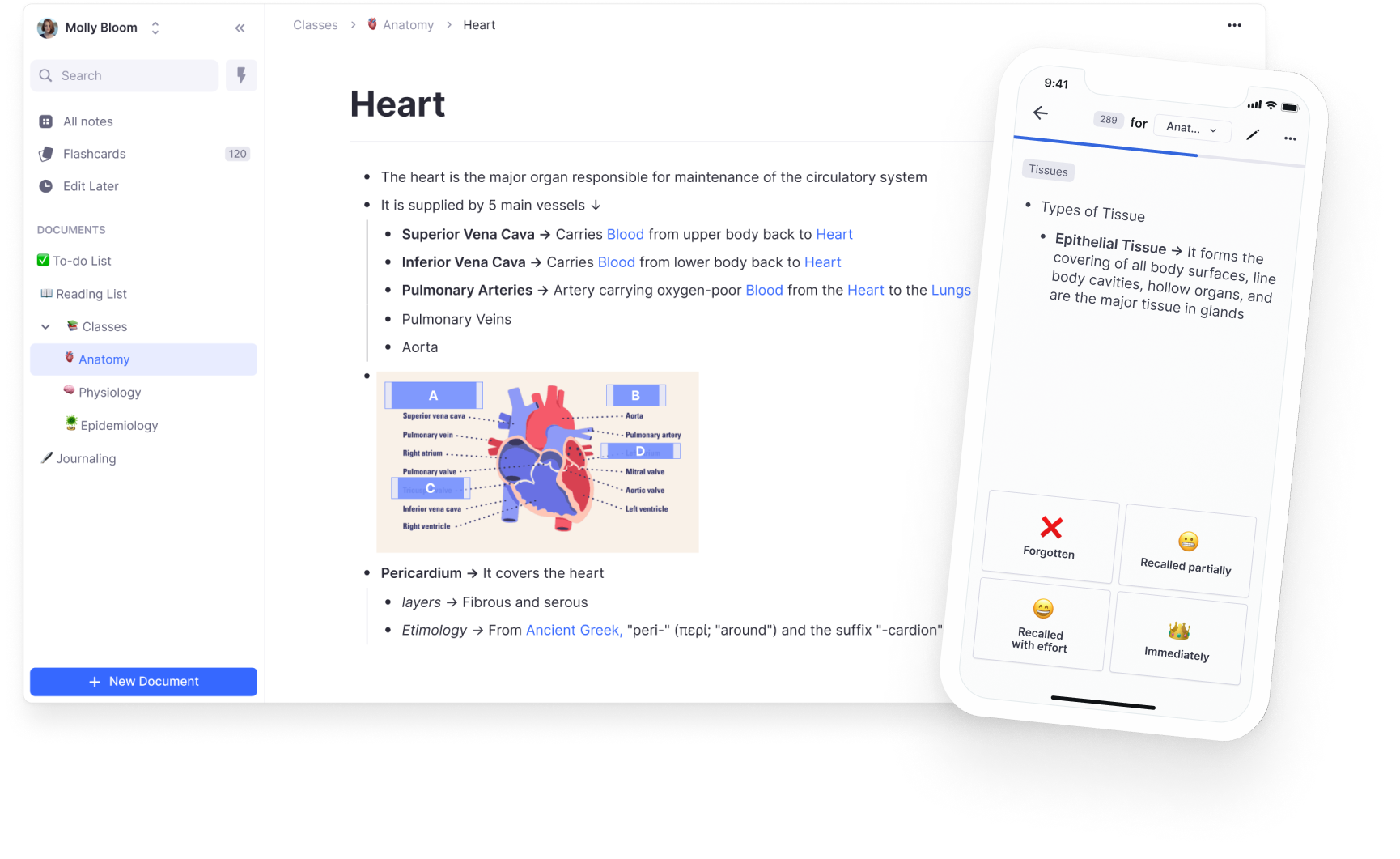
Notion is primarily designed for businesses, offering features built for project management, integration with other business software like Github or Asana, and complex admin roles. On the other hand, RemNote is designed with learners in mind, offering features that help reduce exam stress and build knowledge over the long term, such as flashcard learning with Spaced Repetition.
Offline Capability
Unlike Notion, RemNote works offline. You can edit all your notes offline, and they are safely stored on your device. They are then automatically synced once you get back online. This feature is particularly useful for those who often find themselves in areas with limited internet connectivity.
File Annotation
RemNote offers a file annotation feature that Notion lacks. In RemNote, you can annotate PDFs and other files directly in your notes and link to/reference these annotations anywhere in your notes. This feature is particularly useful for students and researchers who often need to reference specific parts of documents.
Join 1,000,000+ students to get an extra day off each week!
Brenna L.
UPenn PSOM
Game-changer. 5 minutes learning RemNote saved me literally hundreds of hours of studying.
Shabab Bin M.
High school student
Everyone in this team is so passionate. And did I mention the product itself? MINDBLOWING!!! The rate at which it accelerates learning is insanely high! Safe to say, It is going to be the best knowledge handling app out here.
Naveed F.
Weill Cornell Medical School
Great app, way easier than Anki. Looks cleaner and saves me time switching between apps.
Cameron W.
The Johns Hopkins University School of Medicine
All my notes and flashcards in one place. Used to waste hours a week just copying notes from Notion into Quizlet. Seriously underrated – key part of my daily workflow as a med student.
Shortcuts
RemNote offers more shortcuts than Notion and allows you to customize any shortcut. This feature can significantly boost your productivity by reducing the time spent navigating the interface.
Knowledge Management
RemNote is more like an outliner/mind-mapping tool to organise your knowledge where Notion's editor is more like Google Docs. This might feel cumbersome because you can't easily re-arrange the hierarchy of your notes.
RemNote also offers superior knowledge management features that Notion lacks, such as Tags, Aliases (for acronyms and synonyms), and Portals. These features allow for a more organized and interconnected learning experience.
Lastly, in RemNote you can open several documents is separate panes and effortlessly drag and drop content between them. Notion doesn't support multiple panes (you can only open one page in a database in a separate pane).
RemNote also offers superior knowledge management features that Notion lacks, such as Tags, Aliases (for acronyms and synonyms), and Portals. These features allow for a more organized and interconnected learning experience.
Lastly, in RemNote you can open several documents is separate panes and effortlessly drag and drop content between them. Notion doesn't support multiple panes (you can only open one page in a database in a separate pane).
Ready to add an extra day to your weekend?
Join 1,000,000+ students - it's free
Collaboration
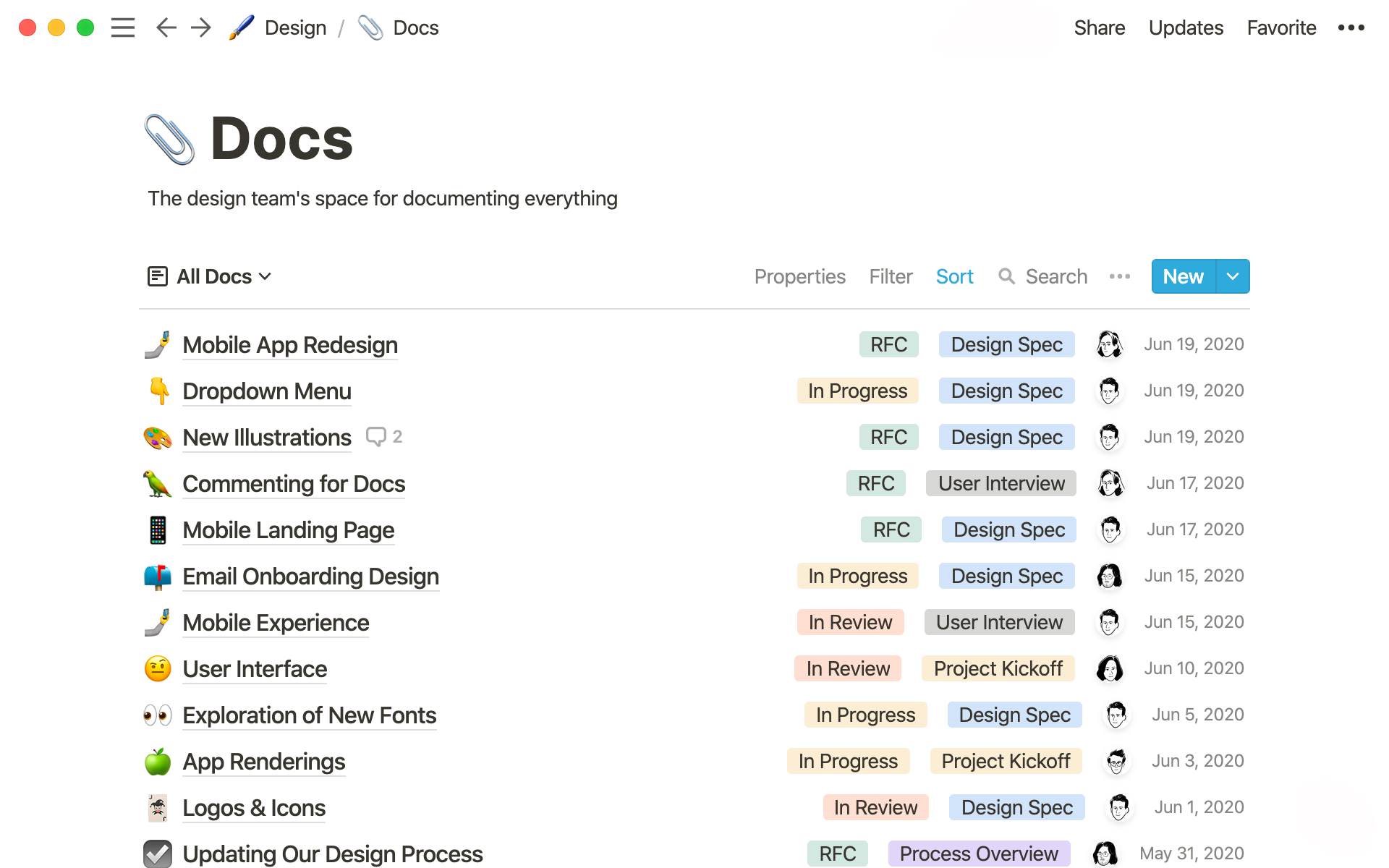
While Notion limits the number of blocks you can create in a shared workspace to 1000 and restricts the free plan to 10 collaborators, RemNote offers unlimited blocks in a shared workspace. This feature enhances RemNote's ability to facilitate collaboration with peers or colleagues.
Conclusion
If you're looking for a tool designed for business collaboration and project management, Notion may be the right fit. However, if your focus is on learning and knowledge management, with features like offline capability, file annotation, and unlimited collaboration, RemNote is the clear choice.
Frequently Asked Questions
Can RemNote replace Notion?
For learning, RemNote can replace Notion with a more complete workflow that combines notes, PDFs, flashcards, and scheduled review. Notion remains a strong general workspace for databases, project boards, and team operations, but those features are not designed to make course knowledge resurface at the right time.
Does Notion have flashcards or spaced repetition like RemNote?
Notion templates can imitate flashcards and review schedules, but Notion does not provide RemNote’s integrated spaced-repetition workflow. RemNote turns notes into cards in place, schedules each review, and keeps the original context available while you practice.
Is RemNote or Notion better for students?
RemNote is built for students who need to understand and remember material, thanks to integrated spaced repetition and PDF study tools. Notion shines for organizing schedules, tasks, and projects, but it won't help you retain information the way RemNote does.
Ready to try RemNote?
Replace your apps in 2 clicks