


Record Lectures with Live Transcription
Never miss a word in class again. Record audio from any lecture and get real-time transcription with timestamped notes.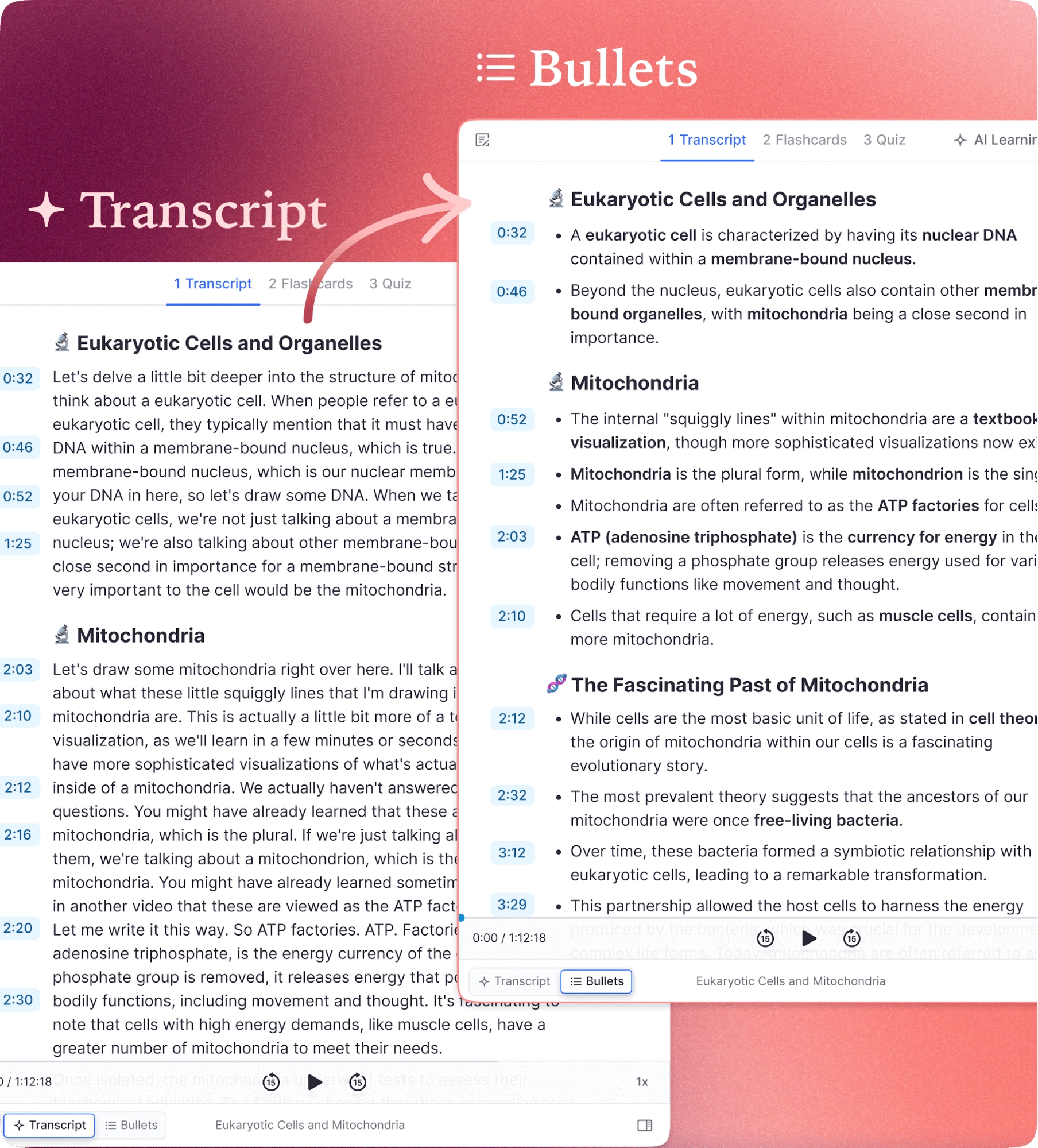
Join 1,000,000+ students getting higher grades!
Live Transcription As You Record
Get distracted and miss something important? Use live transcription to see what was just said and clear up confusion instantly.
Focus on What Matters
View raw transcripts or switch to organized bullet points of key ideas. Take notes linked to timestamps so you can always go back for more context.
Raw Transcript
See every word spoken, perfect for detailed review.Organized Bullets
AI extracts key ideas into an organized outline.
Timestamped Notes
Notes link to audio: click to hear the context.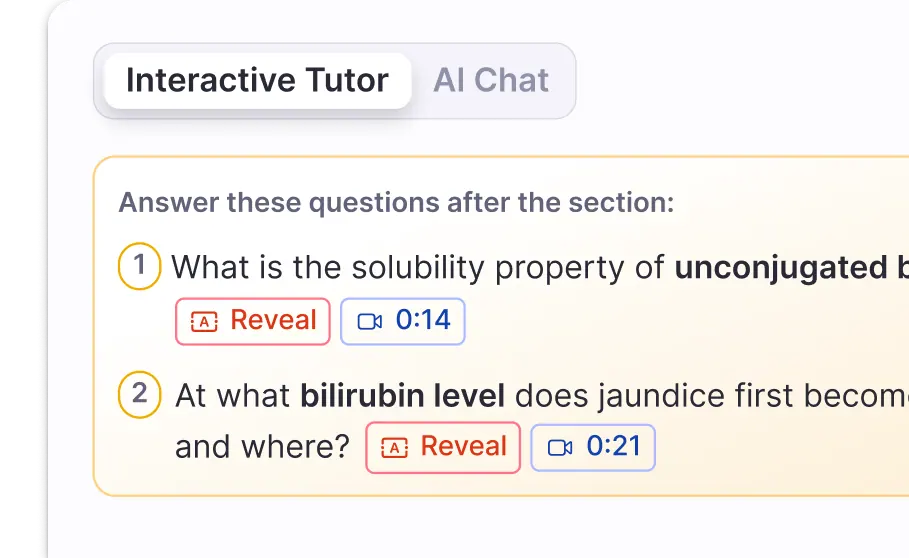
1-Click Actions on Any Sentence
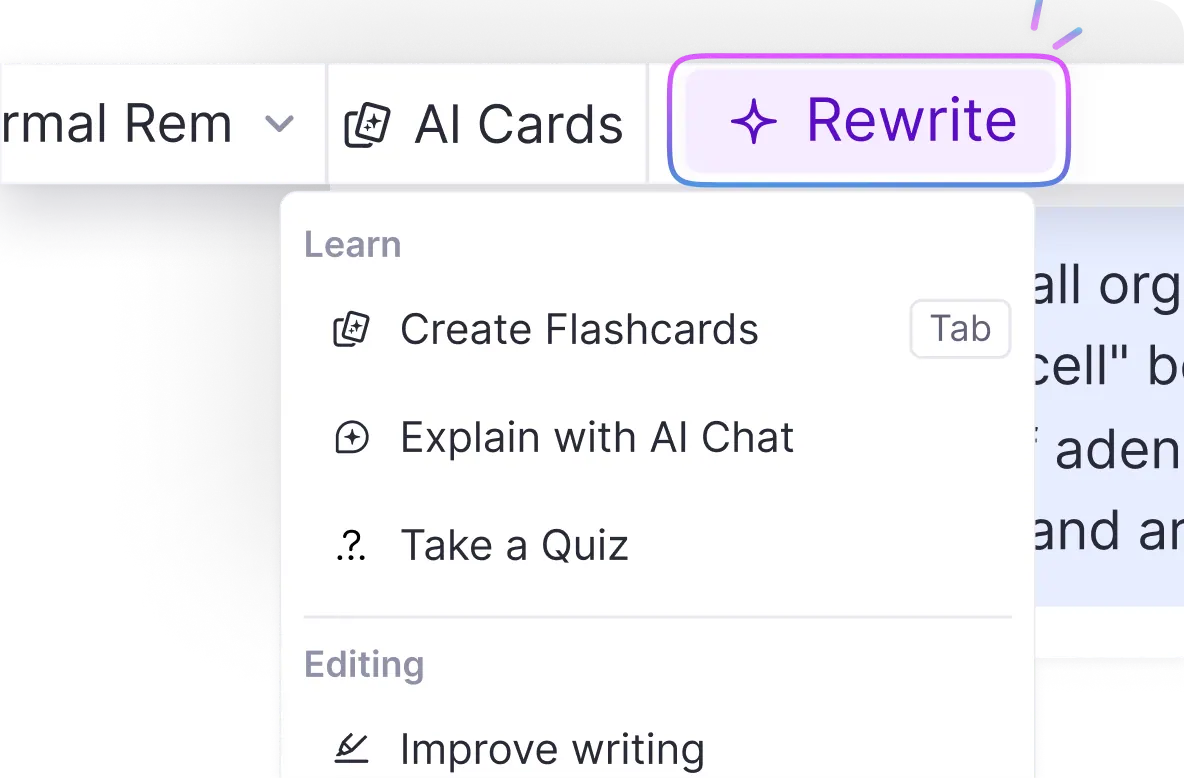
Click any sentence in the transcript to play its audio, make a highlight, create a flashcard, or view an AI explanation.
AI-Powered Study Materials
After recording, instantly generate flashcards, quizzes, and summaries. The AI tutor can reference your transcript to answer questions.
Generate Cards
Create spaced repetition flashcards from key concepts.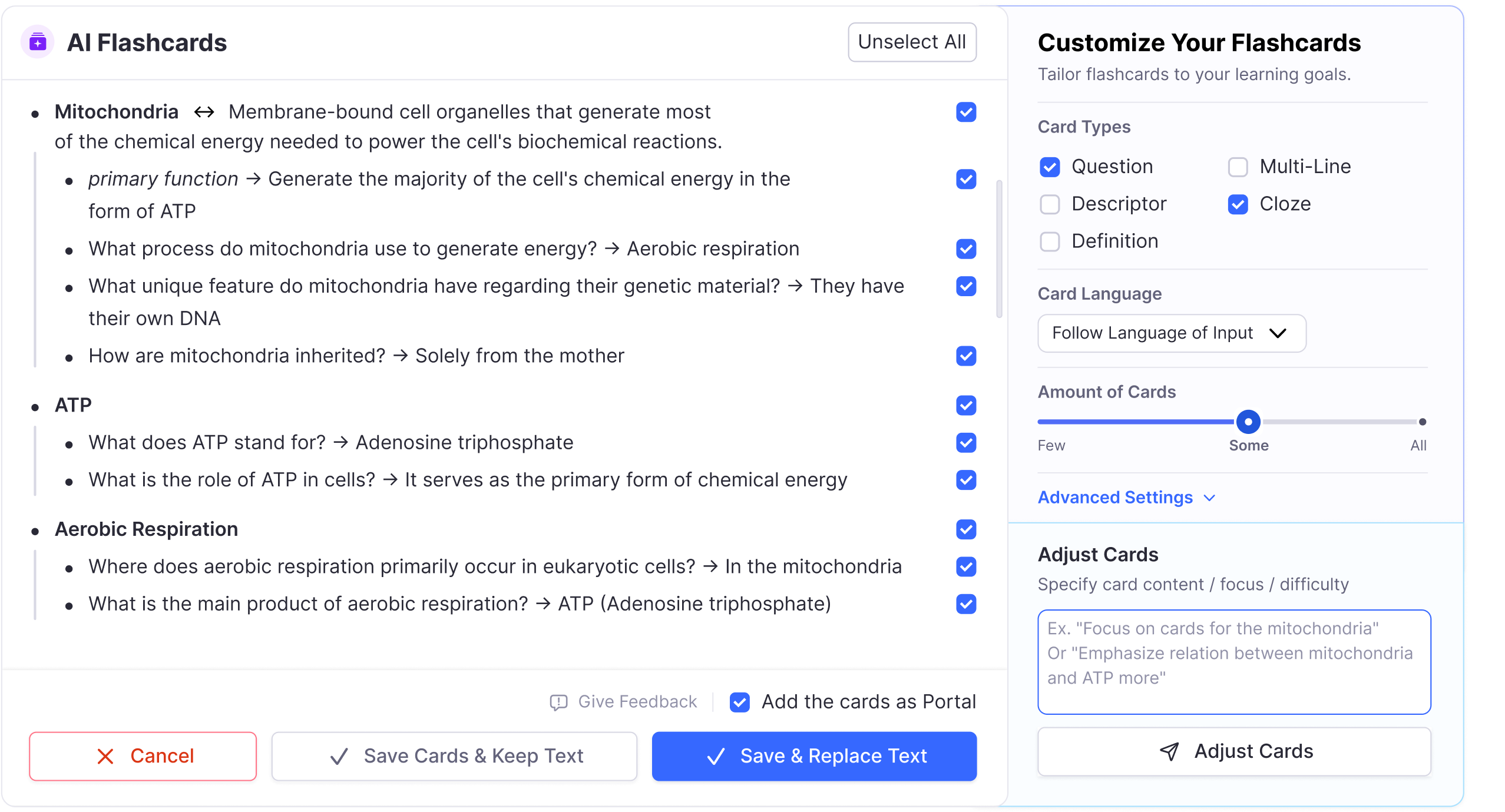
Quiz Yourself
Test your understanding with AI-generated questions.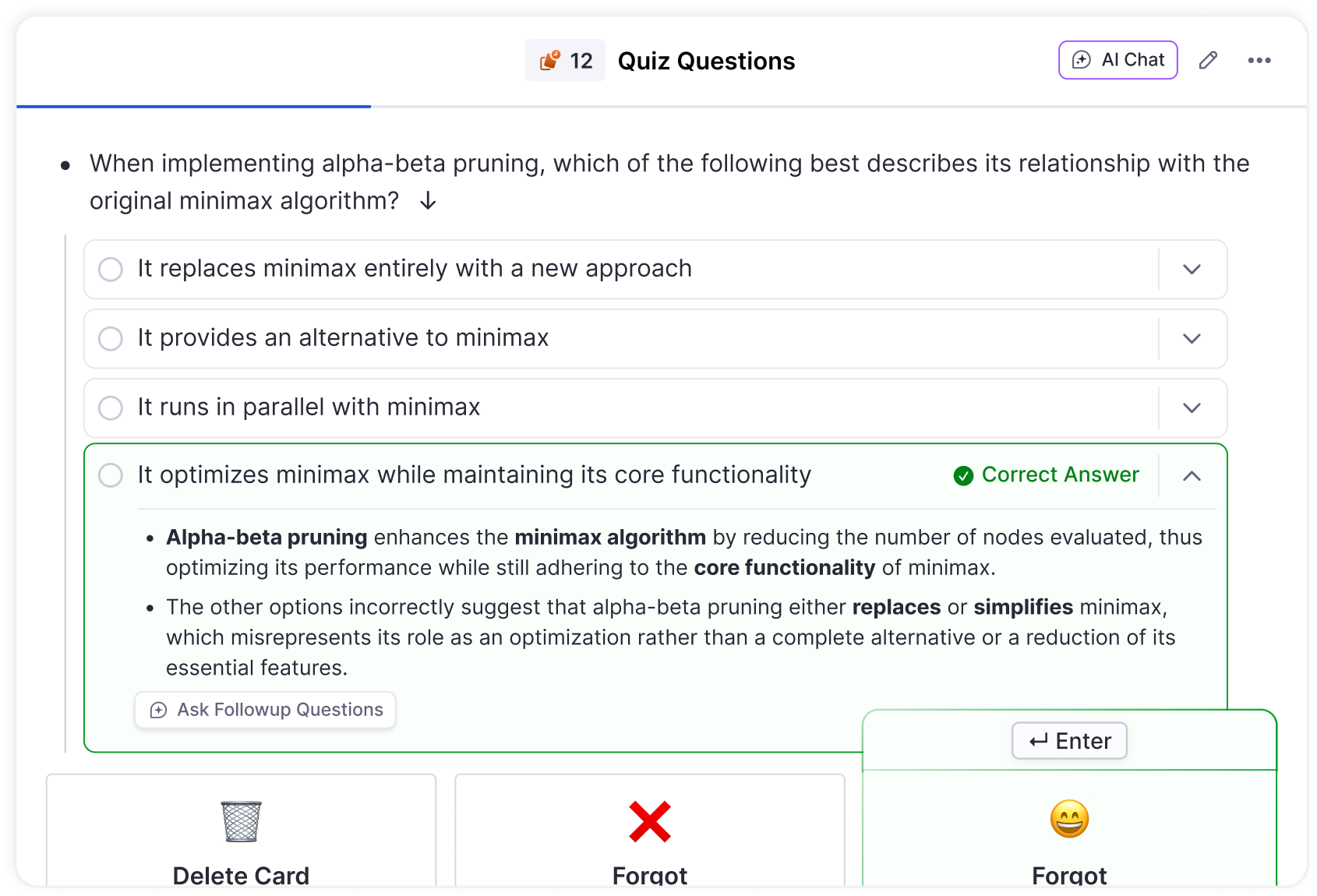
AI Tutor
Ask questions and get answers citing timestamps.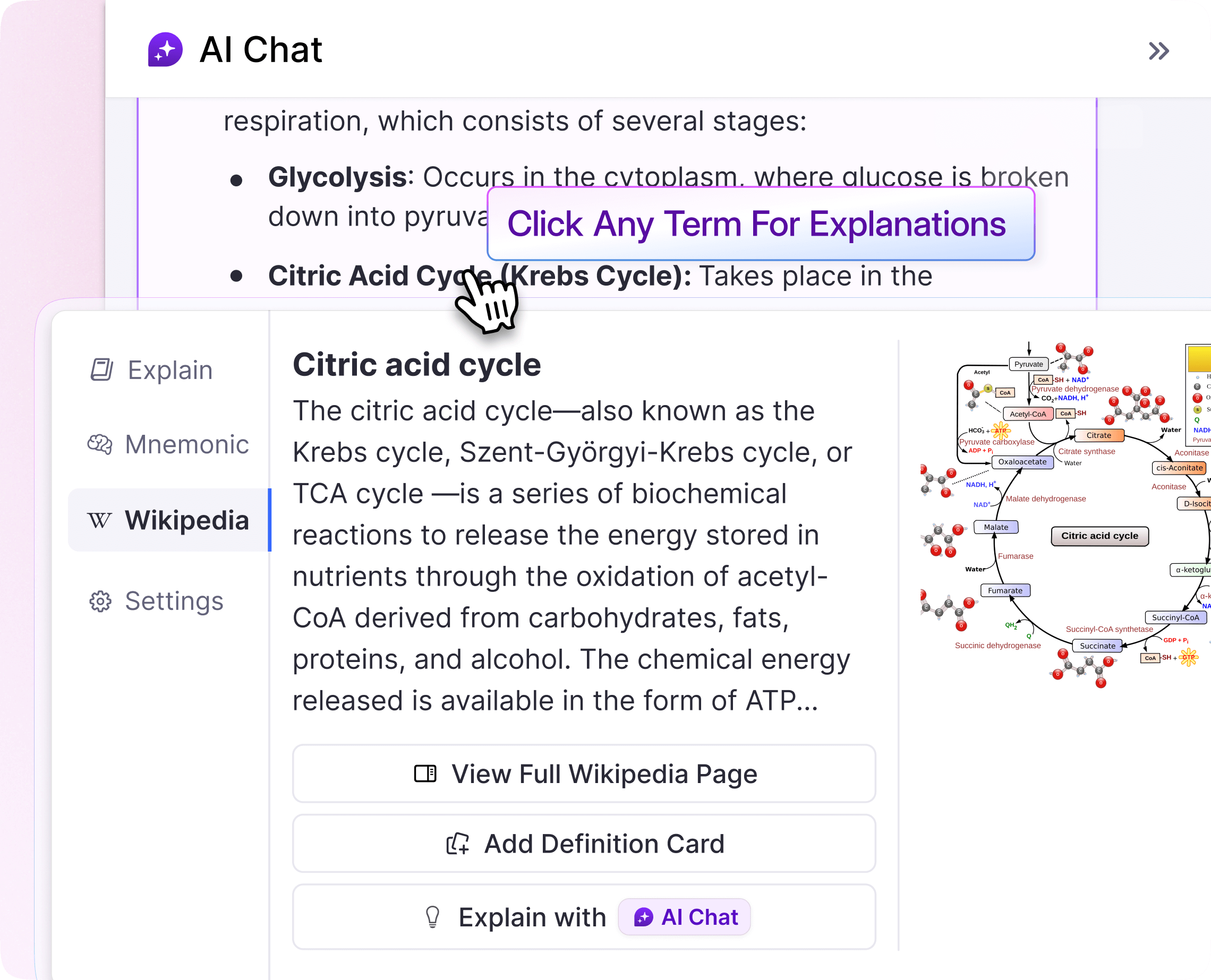
Upload Your Own Recordings
Already have recordings from another device? Upload audio files to RemNote and get full transcription with all the same powerful features.
Join 1,000,000+ students getting higher grades!
Frequently Asked Questions
How accurate is the lecture recording and transcription?
RemNote uses advanced speech recognition to transcribe lectures in real time with high accuracy. The transcription appears as the lecture progresses, so you can read along and catch anything you might have missed.
All transcripts are fully editable after recording, so you can correct any errors or refine wording. You can also click any sentence in the transcript to jump to that exact moment in the audio for full context.
Can AI generate notes from my lecture recordings?
Yes. After recording, RemNote can automatically organize your transcript into structured notes with key ideas, definitions, and summaries. You can switch between the raw transcript view and an AI-organized bullet point view that highlights the most important concepts.
The AI can also generate flashcards, quizzes, and summaries from your lecture content. An AI tutor is available to answer questions about the lecture and cite specific timestamps from the recording.
How do I make flashcards from a recorded lecture?
Once your lecture is recorded and transcribed, you can generate spaced repetition flashcards with a single click. The AI identifies key concepts, definitions, and important details from the transcript and creates cards automatically.
You can also manually create flashcards by clicking any sentence in the transcript. Each card links back to the timestamp in the audio, so you can always revisit the original context during review.
Can I upload recordings made on another device?
Yes. You can upload audio files recorded on your phone, a separate recorder, or any other device. RemNote supports common audio formats including MP3, WAV, M4A, AAC, and OGG.
Once uploaded, the recording is transcribed and you get access to all the same features as a live recording, including AI-generated notes, flashcards, quizzes, and timestamped navigation through the content.
Is my data private and secure?
Yes. Your lecture recordings, transcripts, and generated study materials are securely stored with clear privacy protections. Your content stays in your personal workspace and is not shared publicly or used to train AI models.
RemNote is an offline-first application, so your notes and recordings are stored locally on your device and accessible without an internet connection. When you connect, data syncs securely across your devices.

