
Quizlet vs Revisely vs RemNote: Which Is Best for Flashcards?

For the vast majority of students, retaining content is much more difficult than understanding it. It gets frustrating when you spend hours watching your lectures and reviewing textbooks, only to find that much of what you studied has faded from memory a few days later.
Flashcards are one of the few study tools that tend to solve that problem. They reinforce what you study through the research-backed concepts of active recall and spaced repetition.
There are dozens of flashcard apps you could study from, but each of them works best for a different kind of learner.
In this article, we'll compare Quizlet, Revisely, and RemNote, three popular flashcard makers, for their flashcard creation methods, review features, pricing, and more.
TL;DR
Quizlet, Revisely, and RemNote are all flashcard tools for different types of learners. Quizlet is best for quick studying with pre-made decks, Revisely excels at using AI to generate flashcards from your study materials, and RemNote stands out for long-term retention with its evidence-based FSRS spaced repetition system, integrated note-taking, and advanced review features.
What is Quizlet?
Quizlet is a popular study tool that was founded in 2005 by Andrew Sutherland while he was still a high school student. He built the first version of Quizlet to memorize French vocabulary for a class assignment. What started as a personal project is now used by millions of students worldwide.
Quizlet’s software is built around digital flashcards, but it also includes several ways to review them, for example:
- Study your content in the traditional Flashcards mode
- Use Learn mode for guided practice of the topics you struggle the most with
- Generate practice exams with Test mode
- Reinforce your concepts through gamified activities like Match and Quizlet Live
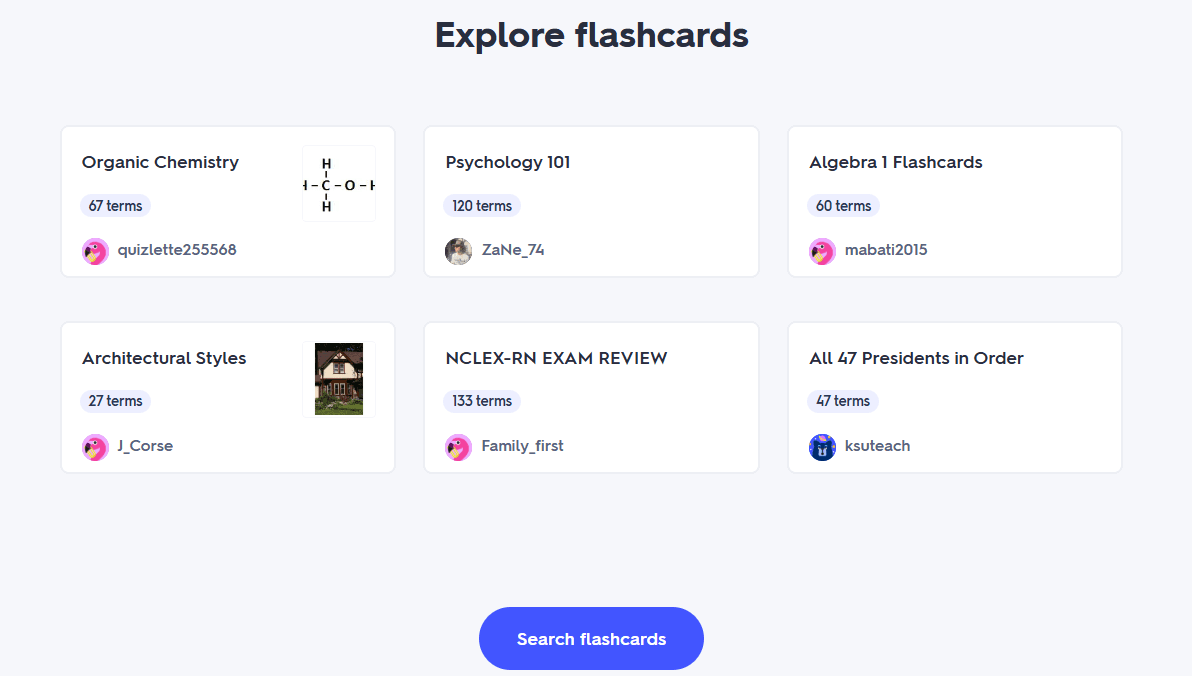
Quizlet has an enormous library of user-created flashcard decks spanning from elementary school subjects to medical licensing exams.
More recently, Quizlet has also added AI-powered features that can generate flashcards, study guides, and practice questions from uploaded documents.
The tool is available on the web and as apps for iOS and Android.
What is Revisely?
Revisely is an AI-powered study platform that claims to reduce the time students spend preparing revision materials.
It primarily creates your flashcards using AI based on the study materials you upload to it.
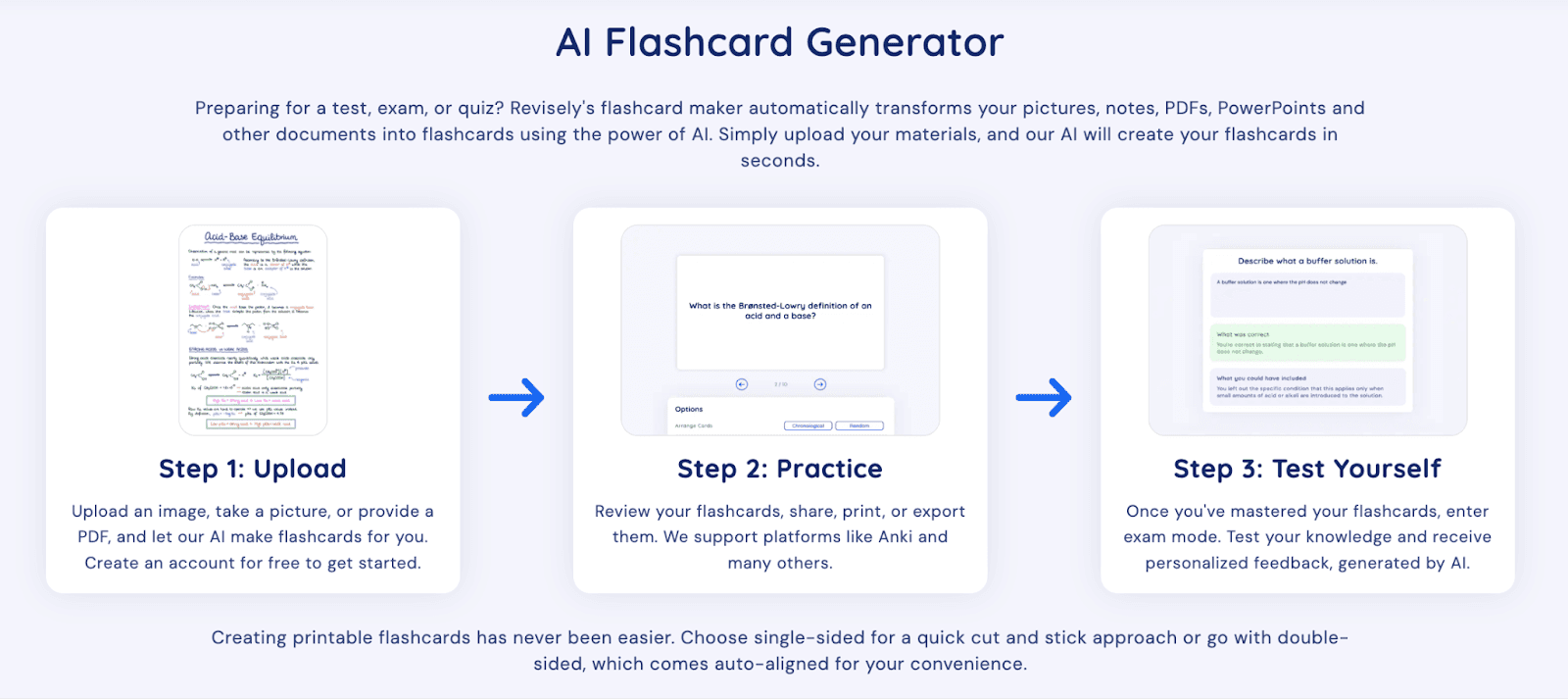
The software accepts class notes, textbooks, PDFs, PowerPoint presentations, and YouTube videos. It extracts information from these materials and, based on that, creates flashcards, quizzes, and concise summaries you can study from.
Alongside its flashcard generator, it has many other tutoring and revision tools.
Revisely has collaborative study features too, where you share your study resources with peers and instructors.
What is RemNote?
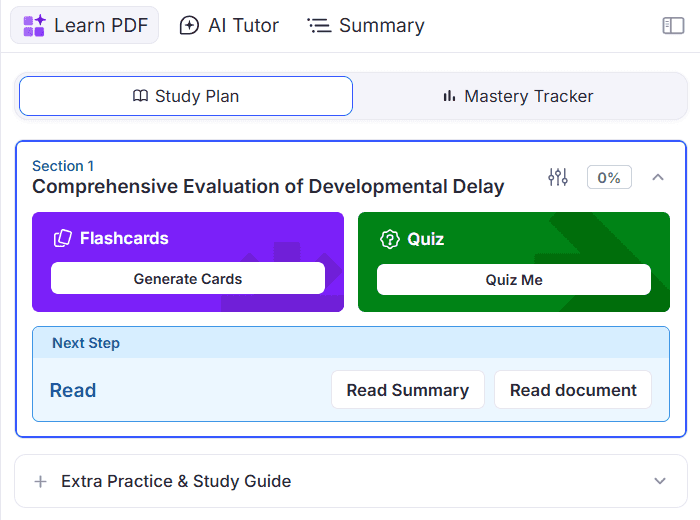
RemNote is a note-taking and flashcard platform. It works more like a knowledge management system where your notes can become flashcards as you write, and then you study them from within the tool.
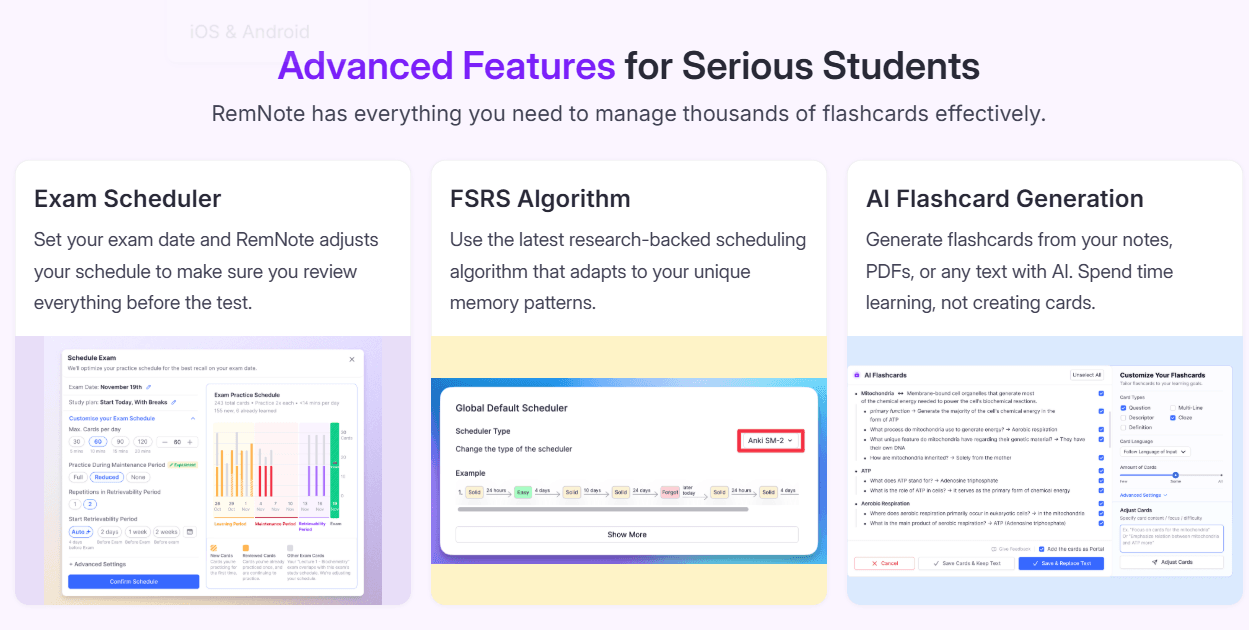
RemNote uses FSRS (Free Spaced Repetition Scheduler), the most advanced spaced repetition algorithm yet. FSRS analyzes your review history as you study your flashcards, and using your data, it predicts the optimal time to show each flashcard again.
You can either:
- Create your flashcards manually
- Auto-generate flashcards from your notes as you write
- Use AI features to generate yourself flashcards from different study documents you upload to the tool
RemNote also includes other useful features, like annotating your PDFs, lecture recording, linked knowledge graphs, an exam scheduler, and AI study assistance.
It works offline and is available on Windows, Mac, Linux, Android, iOS, and Chrome.
Quizlet vs Revisely vs RemNote: At a Glance
Here is a quick overview of the differences between Quizlet vs Revisely vs RemNote.
| Feature | Quizlet | Revisely | RemNote |
| Flashcard Creation | Manual, import, AI generation | AI generation from notes, PDFs, textbooks, presentations, YouTube, plus manual editing | Manual, from notes, AI generation, document import |
| Spaced Repetition | Basic adaptive learning (Learn mode) | AI-guided review (limited spaced repetition) | Advanced FSRS spaced repetition |
| Best For | Quick studying from pre-made decks | Fast AI-powered exam preparation | Long-term retention and knowledge management |
| Note Integration | None | Limited | Fully integrated note-taking system |
| Platform Support | Web, iOS, Android | Web | Windows, Mac, Linux, Android, iOS, Chrome |
| Learning Curve | Low | Low | Moderate |
| Ease of Use | High | High | High |
| Works Offline | Limited | No | Yes |
Quizlet vs Revisely vs RemNote: Core Features
Flashcard Creation
Even though you can create digital flashcards with all three platforms, they each have a very different approach to it.
Quizlet
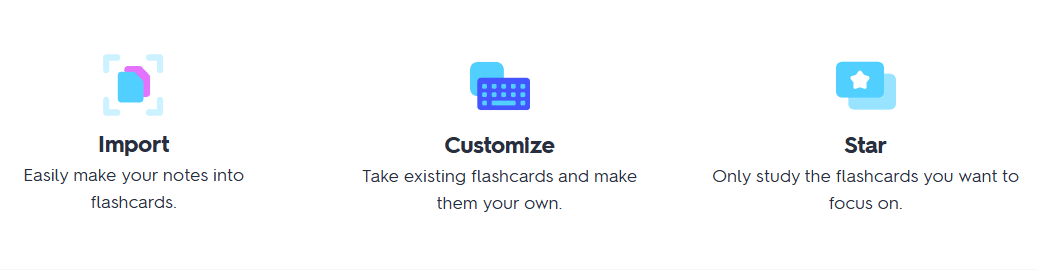
The types of flashcards Quizlet supports are:
- Term and definition cards
- Diagram sets, with which you label different parts of an image
Quizlet offers three main ways to create flashcards.
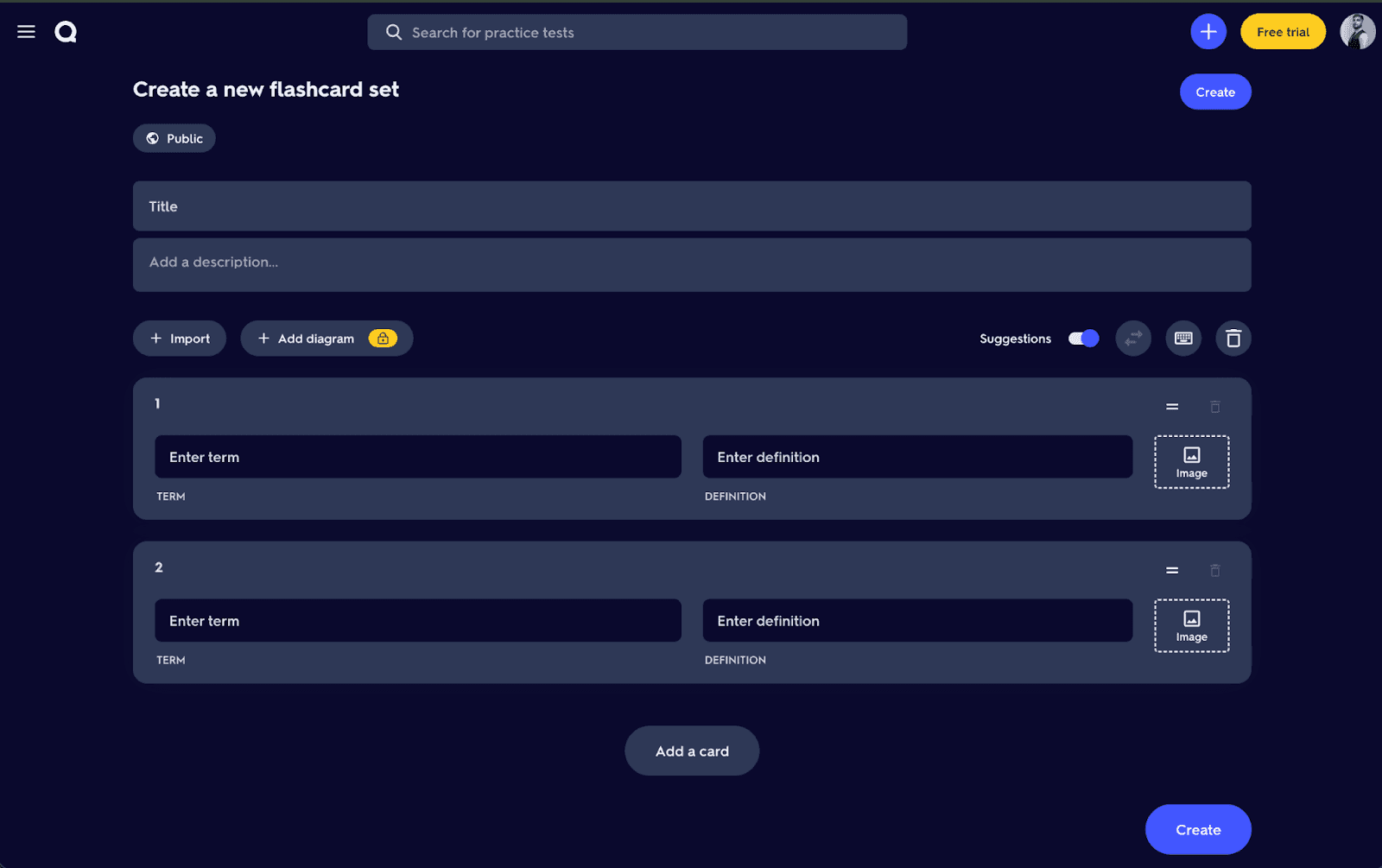
The first is manual creation, in which you enter a term on one side of the card and its definition on the other. It allows you to add images to the cards too.
The second method is importing preformatted content, like Word documents, spreadsheets, or paste formatted text. Your flashcards will be created if the terms and definitions follow Quizlet's required formatting rules.
Quizlet also has an AI-powered flashcard generator known as Smart Assist. With this feature, you upload PDFs, PowerPoint presentations, Google Slides, handwritten notes, or simply describe a topic, and AI takes it from there. It creates ready-to-study flashcards with minimal effort at your end.
Revisely
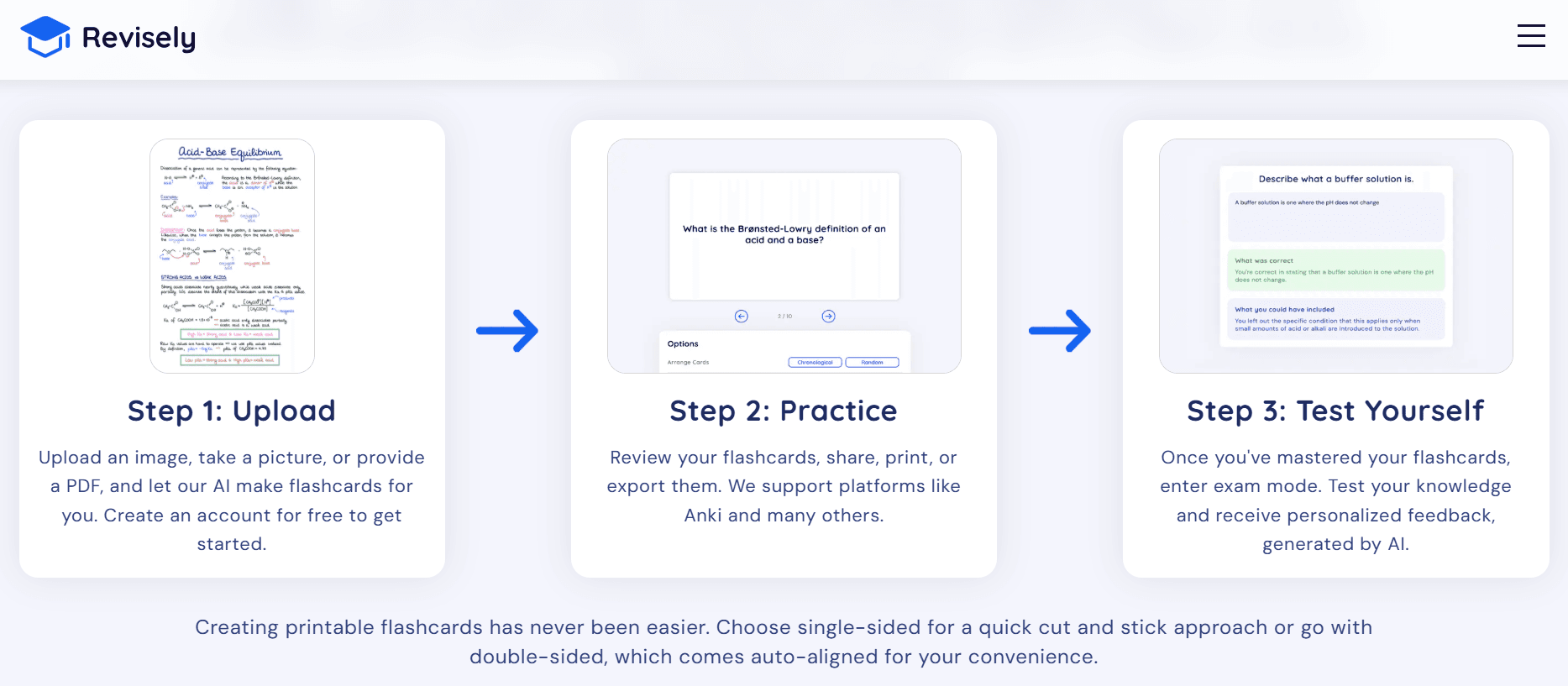
Revisely automates almost the entire flashcard creation process with AI. Similar to Quizlet’s smart assist, it needs you to upload your study materials and let it generate flashcards for you.
The software accepts inputs in the form of plain text, PDFs, Word documents, presentation slides, images, photos taken with a phone, handwritten notes, YouTube videos, etc.
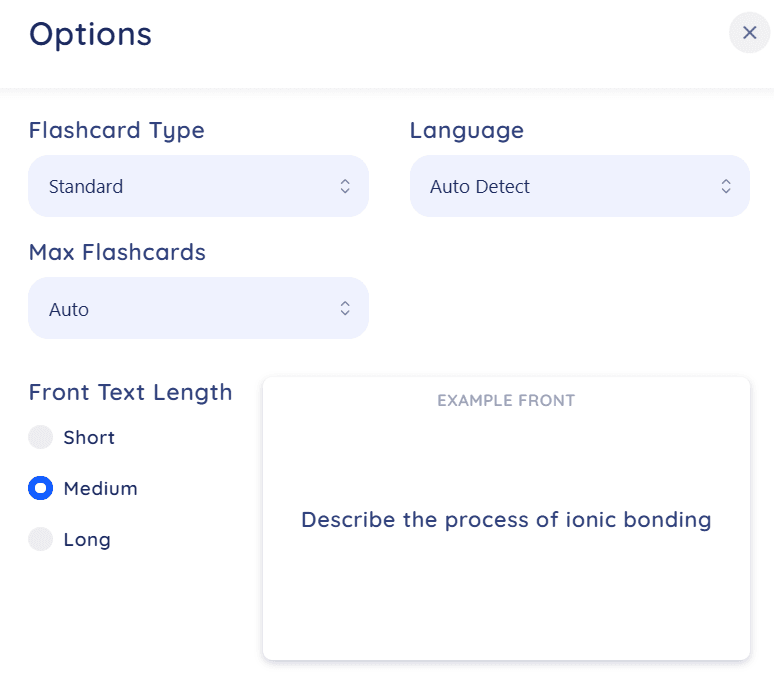
It currently supports three flashcard types:
- Standard flashcards
- Fill-in-the-blank flashcards
- Bullet point flashcards
You can customize how detailed each card should be by choosing short, medium, or long text for both the front and back of the card.
And after your cards are generated, you can review them, share them with others, print them out, or export them to Anki.
Once you've studied the deck, Revisely includes an AI-powered exam mode to test your prep.
RemNote
RemNote has the most flexible flashcard creation system of the three platforms.
Probably the best feature of RemNote is the integrated flashcards and note-taking system.
When you are writing your notes, you don’t even have to open a separate flashcard editor tab. RemNote has special flashcard triggers such as >>, <<, ==, or :>, that instantly convert text or information into a flashcard.
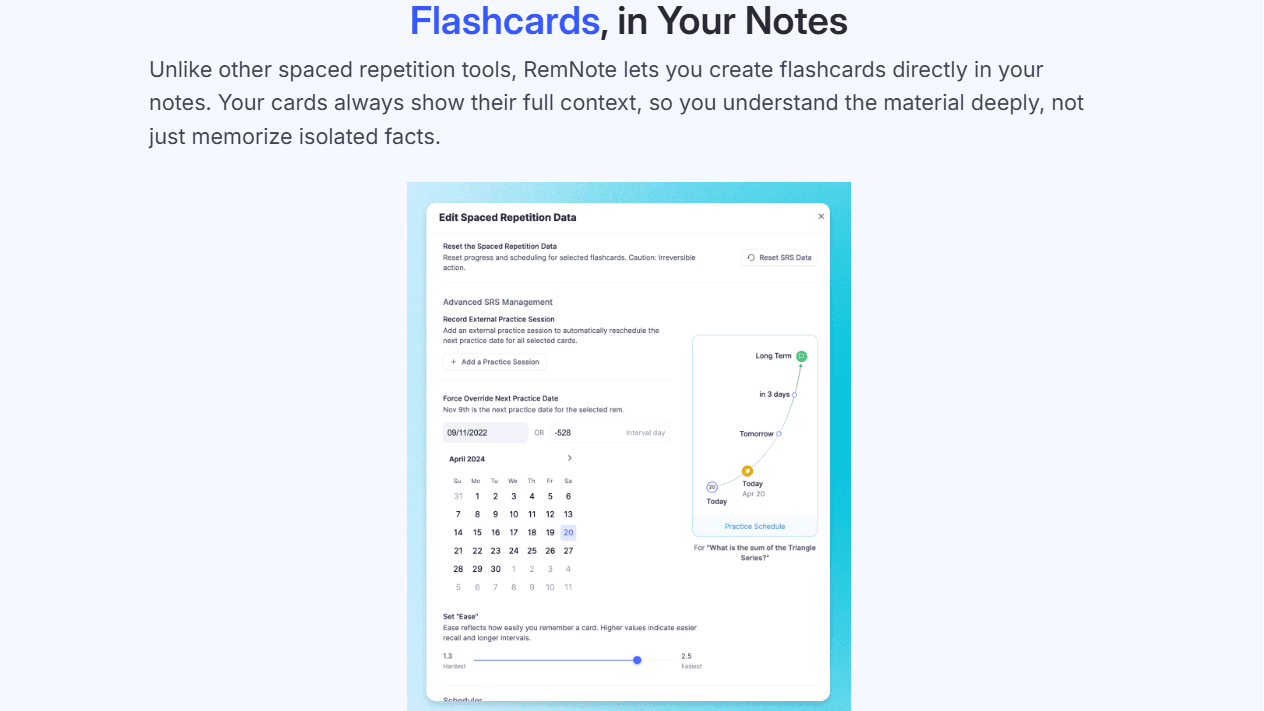
It also gives you AI features to generate flashcards from uploaded documents. It supports similar file types like Revisely, with additional options to import your study material from Anki, Quizlet, Notion, and Obsidian.
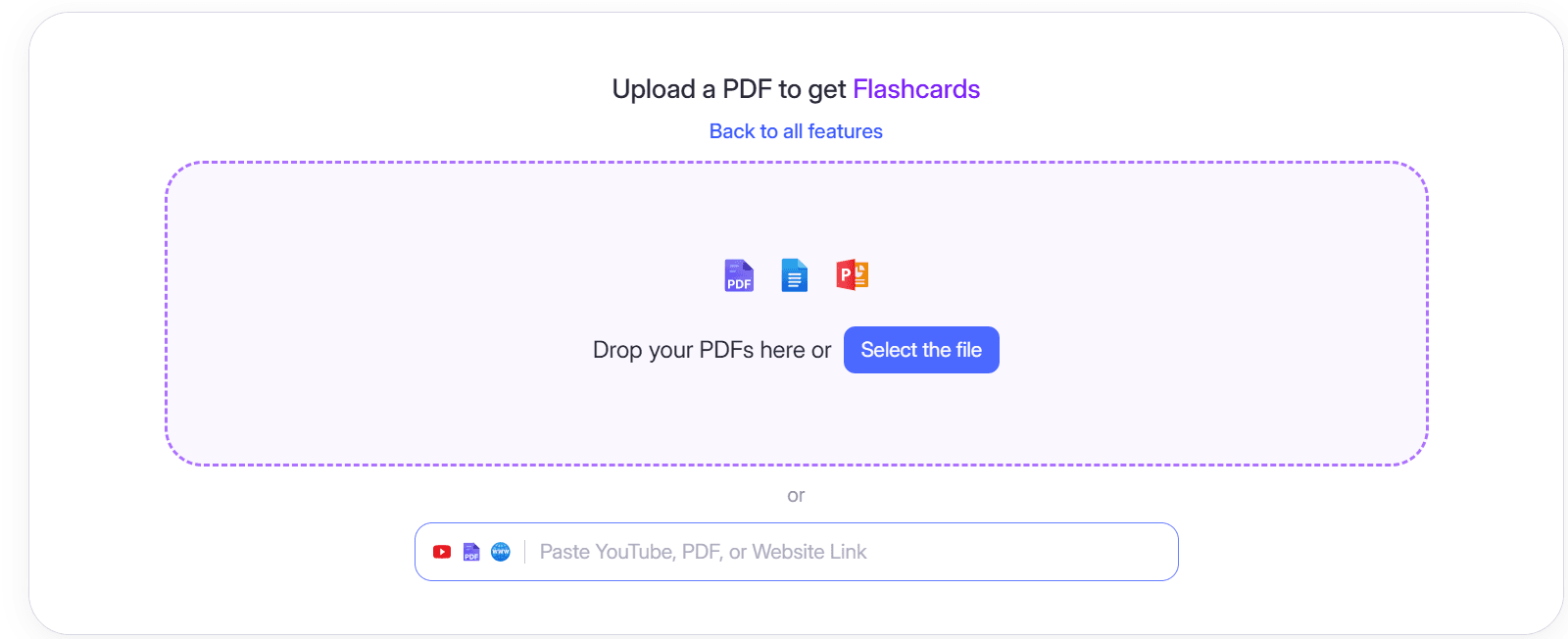
RemNote also creates annotation-based flashcards. If you highlight text from a PDF, a web page, or a YouTube transcript, it suggests flashcards based on the selected content. You can edit, accept, or discard these suggestions before they are added to your deck.
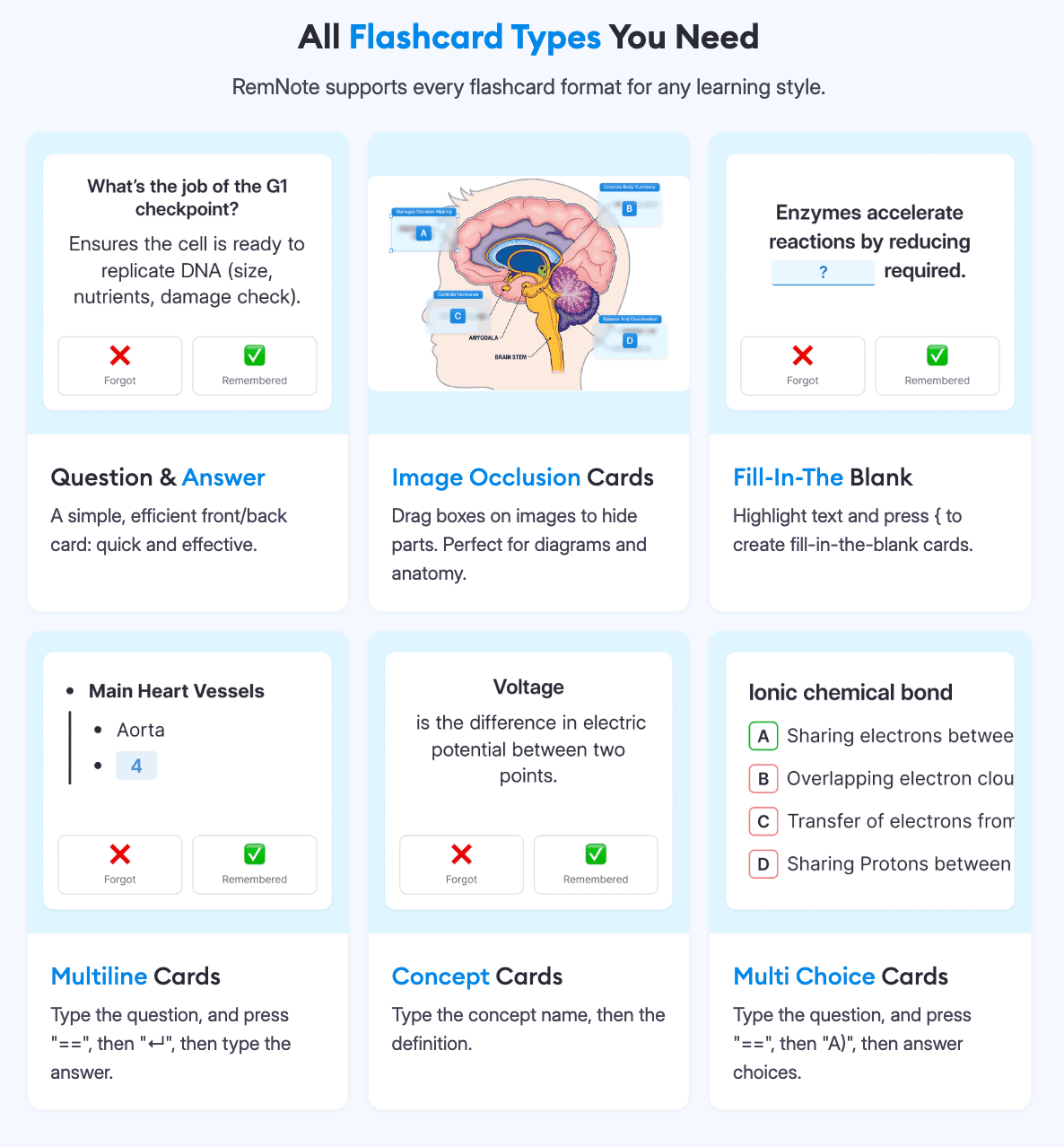
RemNote supports six built-in flashcard types:
- Question and answer
- Cloze deletion
- Concept cards
- Multiple choice
- Image Occlusion
- Multiline cards
Flashcard Review Techniques
Quizlet
Quizlet’s review system is pretty simple.
There’s a Flashcards mode, where you review cards one at a time in sequence by flipping between the question and answer.
The Learn mode adapts the questions based on your performance. In addition to flashcards, Learn mode also shows you the same information in multiple-choice questions, written responses, and spelling exercises through its Write and Spell activities.
There’s a basic system of spaced repetition that shows you concepts you struggle with more often than those you consistently answer correctly. However, the scheduling does not match that of Anki or RemNote. You also have relatively little control over how your reviews are scheduled.
Revisely
The focus of Revisely seems to be on generating study materials rather than managing long-term review schedules.
Although you can review flashcards, it does not currently include a spaced repetition system that schedules your reviews based on memory retention.
If you want the benefits of spaced repetition, it's best to generate flashcards in Revisely and then export them to RemNote or Anki. Both these platforms use advanced scheduling algorithms (SM-2 and FSRS) to predict when information is likely to be forgotten.
If you choose to review flashcards within Revisely itself, you can manually identify difficult concepts and revisit them more frequently during revision sessions.
RemNote
RemNote uses an advanced spaced repetition algorithm for flashcard review. The default review mode of RemNote follows an all-cards-due workflow. It schedules only the cards that are due for review with a probability of forgetting at around a 10% threshold.
During each review, you rate how well you remembered the answer so that the spaced repetition scheduling algorithm adjusts future review intervals accordingly.
Besides the standard review queue, RemNote offers the following document-level review modes:
- Practice All reviews every flashcard within a document regardless of its schedule
- In Order reviews cards in the same sequence as the original notes
- Without Recording allows you to practice your cards without affecting their spaced repetition schedule
Pricing of Quizlet vs Revisely vs RemNote
All three tools RemNote, Revisely, and Quizlet have a transparent pricing structure. The details of the plans they offer are as follows.
| Quizlet Plan | Price |
| Quizlet plus | $7.99/month |
| Quizlet Plus Unlimited | $9.99/month |
| Quizlet plus for teachers | 30-day free trial, then $35.99/year |
| Revisely Plan | Price |
| Basic plan | $0/month |
| Monthly plan | $6.99/month |
| Annual plan | $2.99/month billed annually |
| RemNote Plan | Price |
| Free plan | $0/month |
| Pro | $10/month (billed monthly) or $8/month (billed annually) |
| Pro with AI | $20/month (billed monthly) or $18/month (billed annually) |
What Makes RemNote Stand Out?
Both Quizlet and Revisely have some limitations compared to RemNote for flashcards.
Quizlet is easy to use and has a huge library of pre-made decks, but it supports only two primary flashcard types. The review system of Quizlet is also pretty basic.
Similarly, Revisely is great for generating flashcards, quizzes, and summaries from almost any study material, but the focus of the tool seems to be more on content generation rather than long-term review. It doesn't include a built-in spaced repetition system.
If a student using Revisely wants scientifically scheduled reviews, they will have to export their flashcards to another platform.
RemNote has an AI-powered flashcard generation system with advanced FSRS spaced repetition. It supports multiple types of flashcards, and it lets you create cards straight from your notes. And despite all these functionalities, it has a gentle learning curve too.
Sign up for RemNote for free today to study with flashcards and retain knowledge like never before.
Quizlet vs Revisely vs RemNote, What Should You Choose?
Quizlet vs Revisely vs RemNote: all three tools have their own strengths that best suit different study styles. You should choose:
- Quizlet if you want the quickest method to start studying. It has a huge library of pre-made flashcard decks in a very simple interface, plus lots of interactive study modes that are best for students who want low-effort revision.
- Revisely if you already have notes, textbooks, PDFs, presentations, or videos and want AI to turn them into fun revision resources for you.
- RemNote if you study primarily from your own notes and want the strongest long-term retention. Its strongest features include an evidence-based FSRS spaced repetition system, note-taking, multiple types of flashcards, and flexible review modes.
Pick the Flashcard Tool That Actually Makes It Stick
Flashcards make your studying active and fun, but the most benefit from using them comes from reviewing them at the right time.
There is a lot of research on memory that shows spaced repetition is most effective for retaining information because it schedules reviews just before you're likely to forget a concept.
All three tools in this comparison can help you create flashcards, but they handle reviews differently.
Quizlet and Revisely both have very simple review processes, but they provide little transparency into how review timing is determined.
RemNote, however, uses FSRS, which is a modern, evidence-based algorithm that predicts when you're most likely to forget each flashcard and schedules reviews accordingly.
If you want flashcards that do more than help you cram for the next test, try out RemNote for free today!
FAQs
What is the best flashcard app for studying?
Although there’s no “perfect” flashcard app, every app on the internet has its pros and cons for studying. That said, RemNote is the best flashcard app reviewed in this article due to its advanced spaced repetition system and integrated note-taking.
Can ChatGPT make flashcards?
Yes. ChatGPT can generate flashcards from notes, textbooks, articles, or any text you provide and in any format you want. However, you will have to import them to a flashcard app to study them.
What is the best method for studying flashcards?
The most effective way to study flashcards is with spaced repetition and active recall. You shouldn’t be reviewing every card every single day. The spaced repetition algorithm schedules the cards you need to review just before you're likely to forget them. The best flashcard app for that purpose is RemNote.